AI Agents Explained: What They Are and Why They Matter
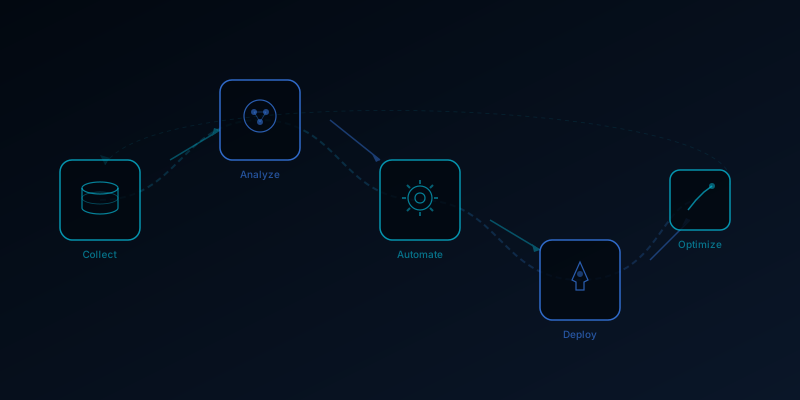
Until recently, AI tools like ChatGPT and Claude were reactive: you typed a question, they gave an answer. AI agents are fundamentally different. They can plan multi-step tasks, use tools, make decisions, and take actions in the real world -- browsing the web, writing and sending emails, updating spreadsheets, and managing software -- with minimal human intervention. This is the shift from AI as a calculator to AI as an employee. Here is what business owners need to understand about agents in 2026, with concrete examples rather than hype.
What Is an AI Agent, Exactly?
An AI agent is a system built on top of a large language model that can independently complete multi-step tasks. The key difference from a standard chatbot is the loop: an agent receives a goal, breaks it into steps, executes each step using available tools, evaluates the results, and adjusts its approach if something goes wrong -- all without you re-prompting at each stage.
A simple example: You tell an agent "find all negative Google reviews from the past week and draft a personalized response for each one." A chatbot would need you to paste each review manually. An agent logs into your Google Business Profile, reads the reviews, identifies the negative ones, analyzes the specific complaint in each, drafts tailored responses, and presents them for your approval. One instruction, many steps, real output.
The Major AI Agent Platforms in 2026
OpenAI Operator
OpenAI's Operator is a web-browsing agent that can navigate websites, fill out forms, complete purchases, and manage online tasks on your behalf. It uses a browser just like a human would -- clicking, typing, scrolling. For small businesses, Operator can handle tasks like submitting directory listings, checking competitor pricing, or managing routine online orders. Available through ChatGPT Pro ($200/month).
Anthropic Claude Computer Use
Claude's computer use capability allows it to control a full desktop environment -- opening applications, clicking buttons, typing text, and navigating between programs. This is broader than web browsing: Claude can operate your CRM, update spreadsheets in Excel, send emails through Outlook, and manage files on your computer. Available through the API and Claude Code.
Google Gemini Workspace Agents
Google's agents are deeply integrated with the Workspace ecosystem. They can draft emails in Gmail, create documents in Docs, build reports in Sheets, schedule meetings in Calendar, and coordinate across all of these tools based on natural language instructions. For businesses already on Google Workspace, these agents offer the lowest friction path to automation.
Custom Agent Frameworks
For businesses with specific needs, frameworks like LangChain, CrewAI, and Anthropic's Agent SDK allow developers to build custom agents that integrate with any API or tool. A real estate agency might build an agent that monitors MLS listings, identifies matches for buyer criteria, generates property descriptions, and sends personalized alerts -- all running autonomously on a schedule.
Want this handled for you?
Get a free audit of your website, Google reviews, and local SEO — we’ll show you exactly where you’re losing customers. Delivered in 24 hours, no sales call.
Get my free audit → or book a 15-min callReal Business Applications Running Today
Review Management
An agent monitors Google, Yelp, and Facebook for new reviews. For positive reviews, it drafts a thank-you response personalized to the specific comments. For negative reviews, it drafts an empathetic response addressing the complaint, flags it for manager approval, and logs the issue in your CRM. Running time: continuous. Human effort: 5 minutes per day reviewing and approving drafts instead of 45 minutes writing responses.
Lead Follow-Up
When a new lead fills out your website contact form, an agent immediately researches their business (checking their website, Google Business Profile, and social media), creates a profile in your CRM, drafts a personalized outreach email referencing specific details about their business, and schedules a follow-up reminder for three days later. Response time drops from hours to minutes.
Competitive Intelligence
A weekly agent checks your top five competitors' websites for pricing changes, new service offerings, team changes, and blog posts. It summarizes the findings in a structured report delivered to your inbox every Monday morning. This would take a human 2-3 hours of manual research per week. The agent does it in minutes for a few cents in API costs.
Content Pipeline
An agent generates a month of social media content by analyzing your top-performing past posts, identifying trending topics in your industry, and drafting platform-specific posts (different formats for Instagram, LinkedIn, and Facebook). It creates a content calendar in your project management tool and queues drafts for your review. Total human time: 30 minutes of review instead of 8 hours of creation.
What Agents Cannot Do Yet
Transparency matters more than hype. AI agents in 2026 still have significant limitations:
- They make mistakes: Agents occasionally misinterpret instructions, click the wrong button, or take actions you did not intend. Human oversight remains essential for anything with real-world consequences.
- They struggle with novel situations: Agents work well on repeatable workflows they have been designed for. Throw an unexpected error or edge case at them and they may loop or fail.
- They require setup: Getting an agent to work reliably for your specific business takes configuration, testing, and iteration. This is not a download-and-run technology.
- They need guardrails: An agent with access to your email can send emails. An agent with access to your bank can make transactions. Proper permission scoping and approval gates are non-negotiable.
How to Get Started
Start with one well-defined, repeatable workflow where speed matters and errors are low-risk. Review management, lead research, and content drafting are ideal first agents because the output goes through human review before reaching customers. Master that workflow, measure the time savings, then expand.
At Stamford AI Consulting, we build and deploy AI agents for local businesses across Fairfield County. Our approach starts with identifying your highest-value repetitive workflows, then building agents that handle the execution while keeping you in control of the decisions. For the complete picture of the AI landscape, see our state of AI in 2026 overview, and for choosing the right underlying model, check our GPT-5 vs Claude 4 comparison.
Want AI Working for Your Business?
We help local businesses in Stamford, Greenwich, Norwalk, and Fairfield County implement AI marketing that generates real results.
Get Your Free AI Marketing Audit →